
Tip of the Week: How to Make Sure Your AR-15 is Chambered
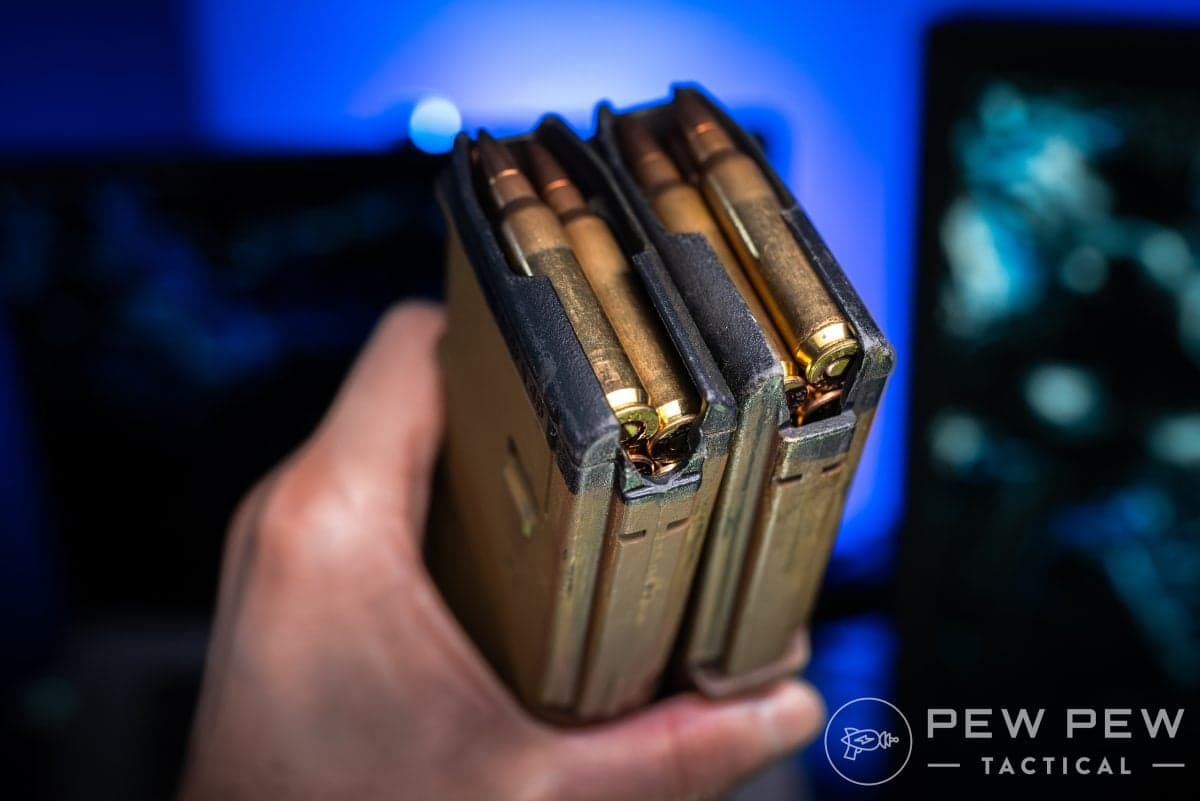
In this article, we discuss a neat trick for ensuring that your AR-15 is properly loaded and ready to roll.

PPT Editor. NRA & USCCA instructor. Hunter, former competitive shooter, collector (200+ firearms)
We review products independently. When you buy through links on our site, we may earn a commission to help support our testing. Learn more.
While it may seem like a simple task to check if your gun is loaded, things can be a bit trickier when it comes to the AR-15.
With a handgun, you can easily do a press check or sometimes visually inspect the gun if it has a loaded chamber indicator.
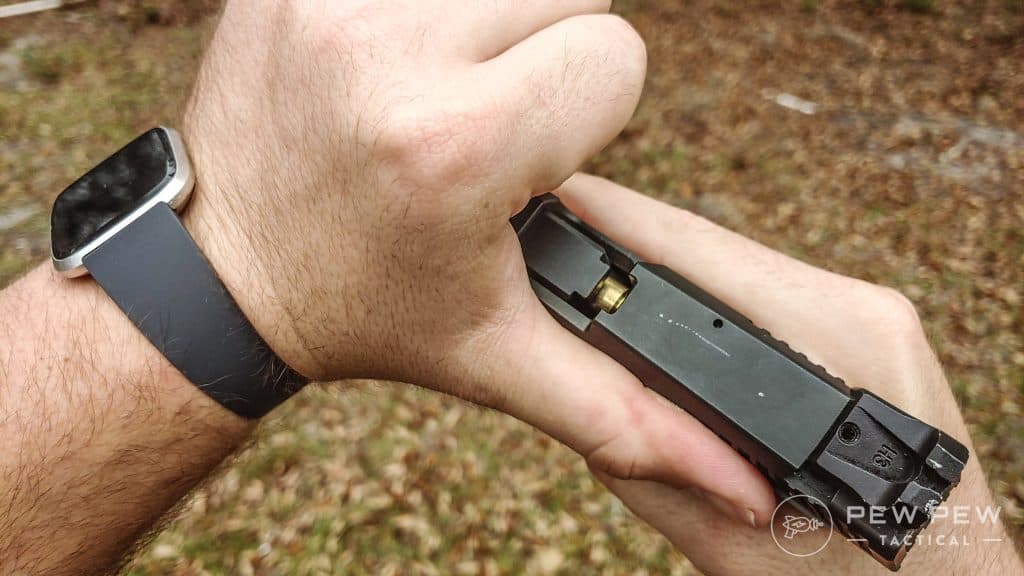
But how hard can it be on an AR-15? Throw in a loaded magazine and rack the charging handle, and you are good - right? With the AR-15 it can be tough to tell if your bolt actually picked up a round from the magazine or not.
So why not just pull the bolt back a little and check?
Well, if you try to pull back the charging handle just a tiny bit on an AR-15 to peek inside the chamber and see if it is loaded, there is a good chance that when you let the bolt back forward, it won't go all the way back into battery.
The AR-15 charging handle is meant to be pulled back all the way and let go. This method essentially "slingshots" the bolt forward with full force. But if you slowly ride the charging handle forward, it may not provide enough energy to seat the bolt.
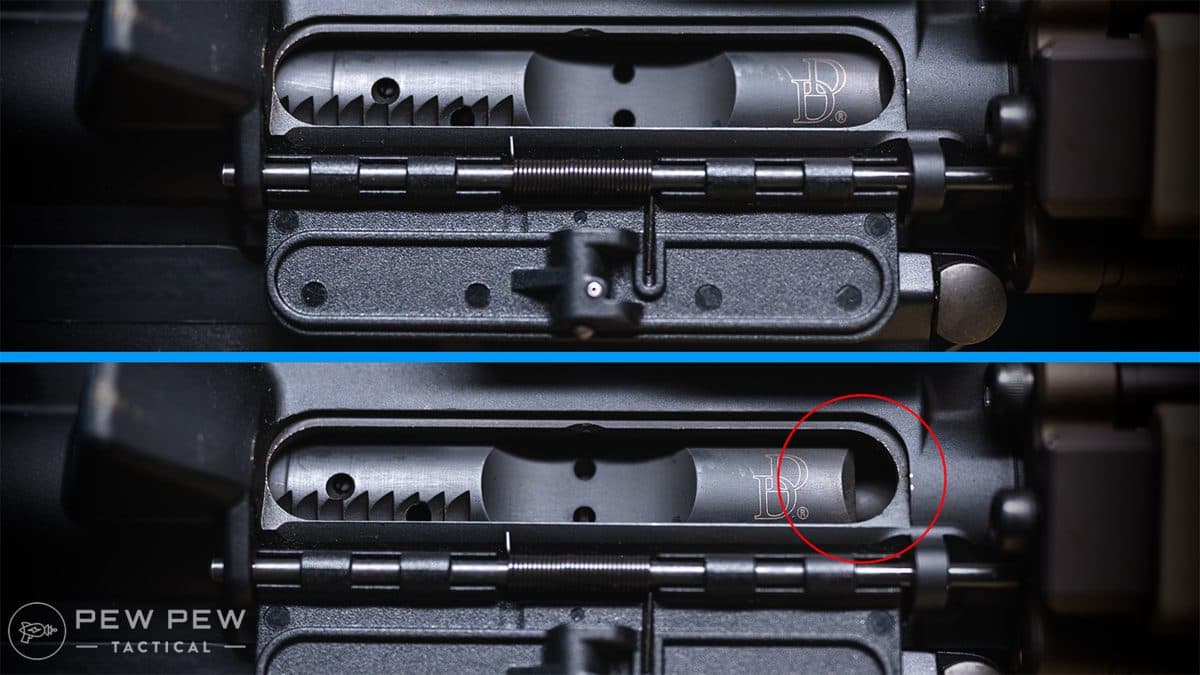
It can be deceiving, as it may look like your bolt closed. If you don't see brass and the charging handle is completely forward, it can seem like you are good.
If this happens, when you try to fire your gun, you will get a click — and nothing. While this can be embarrassing at the range, it can be a death sentence in a defensive scenario.
Luckily, there is an easier way to check if you successfully chambered a round.
If you look at a loaded AR mag, you will see that the top rounds sit unevenly in height. One round sits higher above the other on one side. Each time a new round is chambered, the round that is sitting higher will be on the other side; it alternates sides each time.

You can follow these steps to ensure you successfully chambered your AR-15.
- Make sure the gun is pointing downrange or in a safe direction
- Visually inspect the magazine to see what side the raised round is on, and make a mental note
- Insert the loaded magazine
- Pull the charging handle back to the rearward position and let go to chamber a round
- Switch the safety to the “safe” position
- Remove the magazine
- Visually inspect the magazine – If the raised round is now on the opposite side as before, that means you have successfully chambered a round.
- Re-insert the magazine firmly
- Once the magazine is inserted, tug on it to make sure it is seated all the way and won't fall out
- Your rifle is now chambered, on safe, and ready for use
Many of you may already know this trick, but for those that don’t, it can be indispensable. Even as a veteran shooter, I still frequently drop my magazine and visually check to see which side the round is on to double-check if I am good to go.
In an AR-15 instructor course I recently attended, they encouraged this technique — especially when preparing a rifle for home defense.

Hopefully, this will help a few of you folks out there.
Editor’s Note: This is part of a new series where we deliver a weekly “hack” or tip to make your life easier. Let us know if you want us to keep this series up in the comments below.
Do you have any neat AR-15 tips? If so, let us know in the comments below! If you are completely new to the AR platform, check out our article on How to Reload an AR-15.